









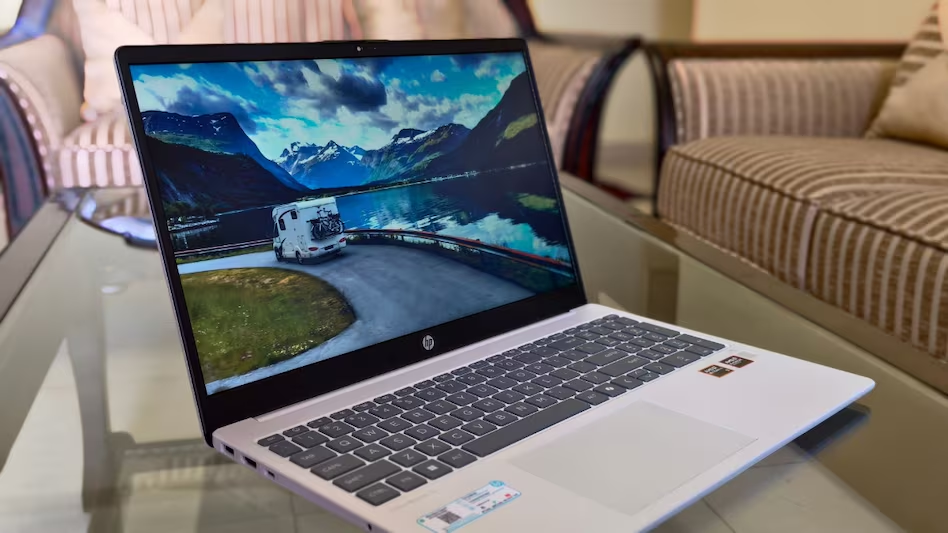
AI-powered laptops are fast becoming mainstream, and HP is making that shift more accessible with the OmniBook 3 — a 15.6-inch budget-friendly machine priced at ₹69,999. It brings modern hardware, a touch of AI flair, and a solid everyday experience, though it’s clearly built for a specific audience.
Out of the box, the OmniBook 3 makes a neat impression with its clean, professional Glacier Silver finish. While it doesn’t turn heads, it’s subtle and suitable for both students and professionals. Weighing in at 1.7kg, it feels slightly hefty, but the weight distribution is good, making it comfortable enough to carry around.
Sustainability is a welcome focus here — HP has used ocean-bound plastics for the chassis and post-consumer recycled materials for the keyboard. It doesn’t drastically affect the feel or build, but it’s encouraging to see eco-conscious choices at this price point.
The 15.6-inch Full HD anti-glare display is functional, offering 250 nits of brightness and 62.5% sRGB coverage. While content creators may find the screen lacking in vibrancy and color accuracy, it holds up well for daily tasks like browsing, streaming, and document editing. Thinner bezels would’ve been ideal, but they don’t detract significantly from the viewing experience.
Typing on the full-sized keyboard with a numpad is a mixed bag. The key layout feels cramped, leading to frequent typos during longer sessions. It’s usable but doesn’t offer the tactile satisfaction or precision one might expect, even in this price segment. The trackpad is also underwhelming — its soft, mushy feedback may leave power users wanting an external mouse for a better experience. On the plus side, privacy-focused features like the webcam shutter and mic mute switch are thoughtful additions.
Performance-wise, the OmniBook 3 is powered by AMD’s new Ryzen AI 5 340 processor, paired with 16GB DDR5 RAM and a 512GB PCIe Gen4 SSD. This combination ensures smooth handling of day-to-day tasks, from web browsing to Office apps and light creative workloads. The real value lies in the integrated AI features — background blur during video calls, real-time voice summaries, and HP’s AI Companion all hint at the laptop’s next-gen intent.
However, this isn’t a device for gamers or heavy multimedia editors. The integrated Radeon 840M graphics are suitable only for light tasks and casual entertainment.
On the thermal front, the laptop handles heat well during moderate use. It stays relatively quiet and cool, but heavier multitasking with AI tools running in the background can cause some noticeable warmth around the palm rest and base. Thankfully, the fans kick in quietly, and no serious throttling was observed.
HP gets the connectivity aspect right. The OmniBook 3 includes a USB-C port with Power Delivery and DisplayPort, two USB-A ports, HDMI 1.4b, and a headphone/mic combo jack. You also get Wi-Fi 6 and Bluetooth 5.4, ensuring future-proof wireless standards. The 41Wh battery lasted a little over 7 hours during typical workdays, with fast charging taking it to 50% in around 45 minutes.
In conclusion, the HP OmniBook 3 isn’t built for enthusiasts or creatives seeking top-tier specs. But for students, home users, and first-time laptop buyers wanting reliable performance, a clean design, and meaningful AI features — it offers a well-balanced value proposition under ₹70,000. You’ll need to accept some trade-offs in keyboard feel and display quality, but for practical users, this laptop is a smart and sustainable choice.
Recent Random Post: