









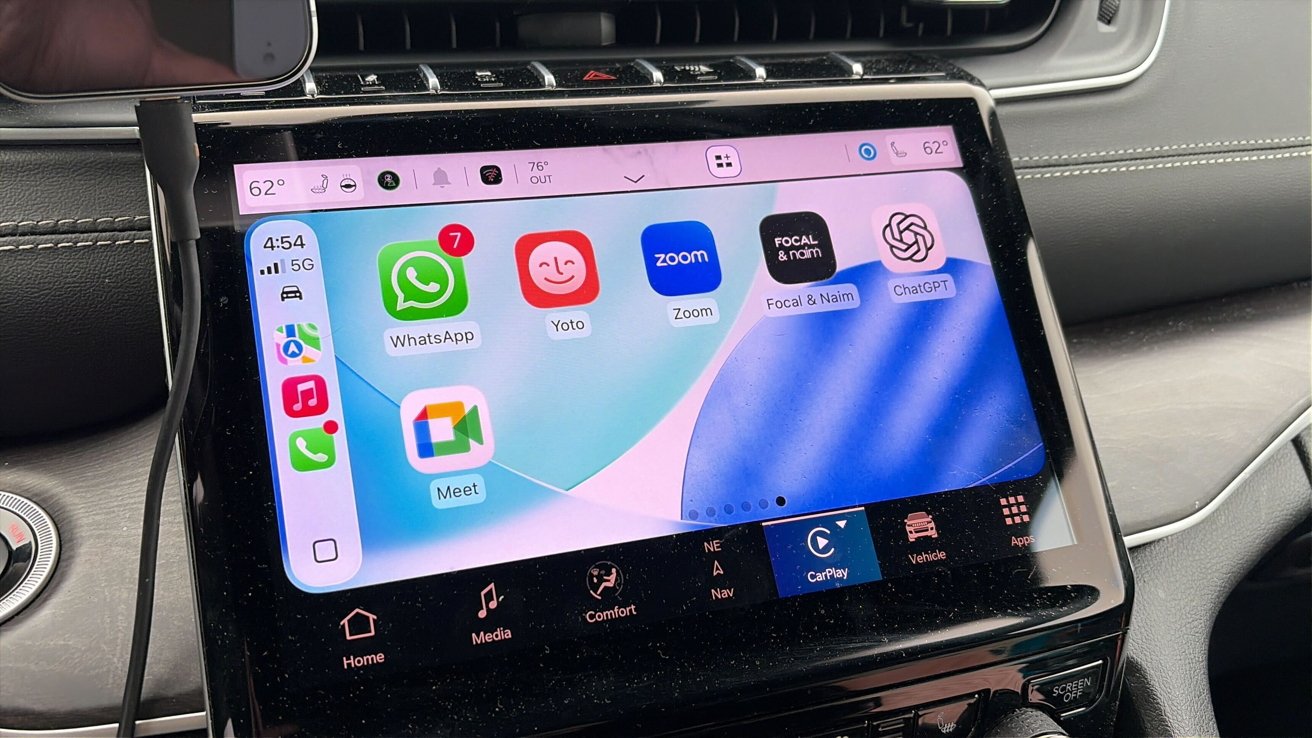
Apple has rolled out a major upgrade with iOS 26.4, integrating OpenAI’s ChatGPT into Apple CarPlay for the first time. This makes ChatGPT the first widely adopted AI chatbot to be built into Apple’s in-car system, allowing users to interact with the assistant directly from their dashboard using voice commands.
With this update, drivers can now engage in hands-free, conversational AI interactions while on the road. Thanks to Apple’s new support for “voice-based conversational apps,” users can ask ChatGPT to answer questions, generate ideas, tell jokes, or assist with everyday tasks during their commute.
How to use ChatGPT on Apple CarPlay
To access the feature, users need to ensure their iPhone is updated to iOS 26.4 and that the latest version of the ChatGPT app is installed. The feature is compatible only with vehicles that support Apple CarPlay.
Once set up, the steps are simple:
Connect your iPhone to CarPlay via USB or wireless connection.
Open the ChatGPT app from the CarPlay home screen.
Tap on “New Voice Chat” to start a conversation.
Wait for the system to switch from “Connecting” to “Listening,” then speak naturally.
You can also resume previous conversations directly from the app.
For a smoother experience, users can enable Auto-Start Mode by going to Settings > Voice in the ChatGPT app and turning on “Start automatically in CarPlay.” This allows ChatGPT to launch a voice session instantly when the app is opened, without navigating menus.
The feature is being rolled out globally across Free, Plus, Pro, and Team/Enterprise users. However, availability in regions such as the European Economic Area (EEA), Switzerland, and the UK will be introduced gradually in the coming phase.
With this integration, Apple is taking a significant step toward bringing AI-powered assistance directly into everyday driving experiences.
Recent Random Post: